01 / MUSIC
Hear how it’s played.
Work through a fast solo, pick out a bass line, or sing along in a more comfortable key. Repeat the part that needs your attention.
 Loopmanfor Mac
FOR THE PART YOU WANT TO GET RIGHT
Find a phrase in the waveform. Loop it, slow it down, and give every note or word the attention it deserves. Loopman for Mac.
View on the App StoreFree download · In-app purchases
A focused listening space, right on your Mac.
See what you can do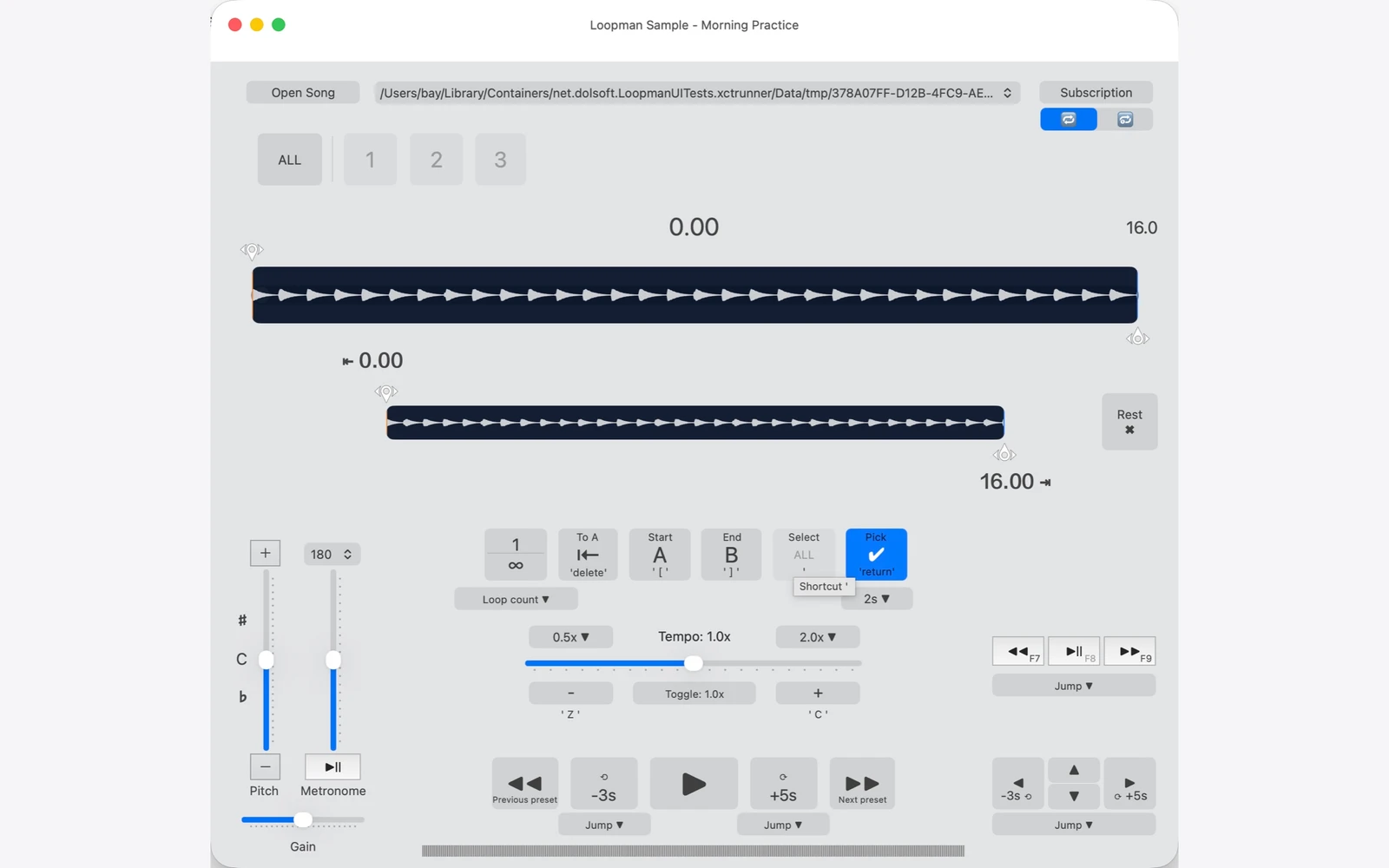
ONE GOOD REPEAT CAN CHANGE WHAT YOU HEAR
Different things to learn. The same reason to listen again.
01 / MUSIC
Work through a fast solo, pick out a bass line, or sing along in a more comfortable key. Repeat the part that needs your attention.
02 / LANGUAGE
Catch the words you missed. Listen to a short passage, slow it down, then shadow the rhythm and pronunciation at your own pace.
A LITTLE LESS REWINDING
Set a beginning and an end. Loopman brings you back to the same passage, so you can spend your time listening instead of finding your place.
MADE FOR REPEATED LISTENING
Use the main waveform and closer view to find the passage you want to hear again.
Use keyboard shortcuts for playback and loop controls. Spend less time reaching for the mouse.
Save passage presets and organize playlists. Export supported sections to make audio for another practice session.
BEFORE YOU DOWNLOAD
Yes. The Mac app is free to download with limited playback for your own tracks. Optional 3-month and 12-month Full Access subscriptions unlock full playback. Check your App Store for current prices and any eligible trial.
Yes. Open supported local audio files for music or language practice. DRM-protected audio and protected Apple Music subscription downloads cannot be played.
Loopman helps you listen closely and repeat audio. It does not automatically transcribe speech or generate sheet music.
The Mac and iPhone/iPad versions are separate apps with separate in-app purchases. Features can differ between them.
Start with an audio file you want to understand.
View on the App StoreFree download · In-app purchases